In Active Development

Master the water before you launch.

The first boating app that prioritizes physics-based learning over simple quizzes. Conquer the ramp, the wind, and the storm — all from your phone.

Flutter + Flame 60fps Physics iOS & Android 9 Scenarios
9 Scenarios
3 Chapters
60 FPS Physics
Consequence-Free Tries

Real physics. Real water.

Harbor's custom physics engine implements mass, drag, prop walk, and momentum — tuned specifically for small-to-mid-sized vessels.

Realistic Physics Engine

Every frame calculates mass, drag coefficients, prop walk torque, and momentum decay. The boat feels like a boat — not a cursor on water.

Dynamic Weather

Live wind gusts, current vectors, and weather progression — from calm blue to storm grey. The conditions evolve mid-scenario, forcing adaptive decisions.

Current & Wind Vectors

Real-time vector overlays show exactly how wind and current are acting on your hull. Learn to read the water like an experienced captain.

Stability Simulation

Drag-and-drop loading simulation teaches center of gravity, weight distribution, and capsizing physics. Load the cooler wrong and feel the consequences.

Three chapters. Nine challenges.

From NOAA forecast reading to wind-on docking, each scenario teaches a specific skill through interactive, consequence-free simulation.

Ch. 1 — Before You Go 01

The Weather Window

Decision-tree logic for NOAA forecast reading. Learn when to launch and when to wait — the most important skill in boating.

Ch. 1 — Before You Go 02

The Float Plan

File a proper float plan, calculate fuel margins, and identify waypoints. The bureaucracy that saves lives.

Ch. 1 — Before You Go 03

Stability Sandbox

Drag-and-drop loading simulation. Place passengers, gear, and fuel to learn center of gravity and prevent capsizing.

Ch. 2 — At the Ramp 04

The Busy Ramp

Master the "ferry angle" in cross-currents. Aim upstream so the current carries you perfectly to the dock.

Ch. 2 — At the Ramp 05

Trailer Backing

The most stressful 60 seconds in boating. Learn the mechanics of backing a trailer into position under pressure.

Ch. 2 — At the Ramp 06

Launch Sequence

From drain plug to engine start, execute the launch in the right order. Skip a step and the sim will show you why.

Ch. 3 — Leaving the Dock 07

Wind-On Docking

Learning spring-line techniques and prop-walk logic. Use mechanical levers to pivot off a wind-on dock.

Ch. 3 — Leaving the Dock 08

Prop Walk Mastery

That annoying sideways kick in reverse — made predictable. Learn to use prop walk as a tool, not a hazard.

Ch. 3 — Leaving the Dock 09

Channel Navigation

Navigate a marked channel with traffic, current, and wind. Read the buoys, manage right-of-way, and stay in the lane.

Under the Hood

Built for feel, not just function.

Harbor is built with Flutter and Flame for ultra-smooth 60fps performance on mobile. Flame's game loop architecture provides frame-precise updates — drag coefficients, momentum decay, and wind gust modeling all tick at consistent intervals.

The visual style is clean, top-down 2D navigation with technical overlays: current arrows, wind vectors, and collision indicators that teach you to read the water like a chart.

Flutter 3.x Flame 1.x iOS & Android 60fps
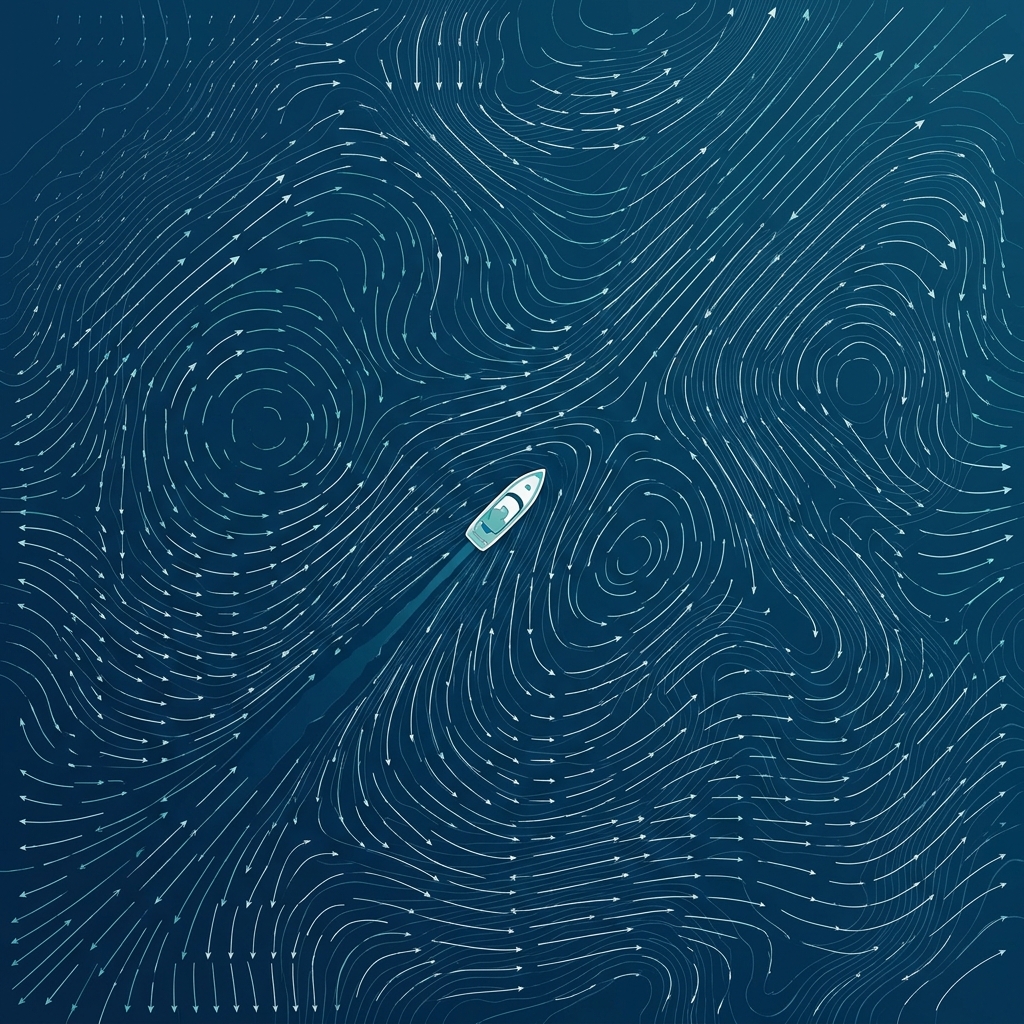
Harbor navigation chart simulation preview
Wind 18kts NNE ↗ Current 2.1kts → Depth 8.2ft HDG 247°

The water doesn't grade on a curve.

Harbor helps you build muscle memory before the stakes are real. Follow along as we approach our first Beta window.

Read the Dev Blog